
THE TRAIN JOB
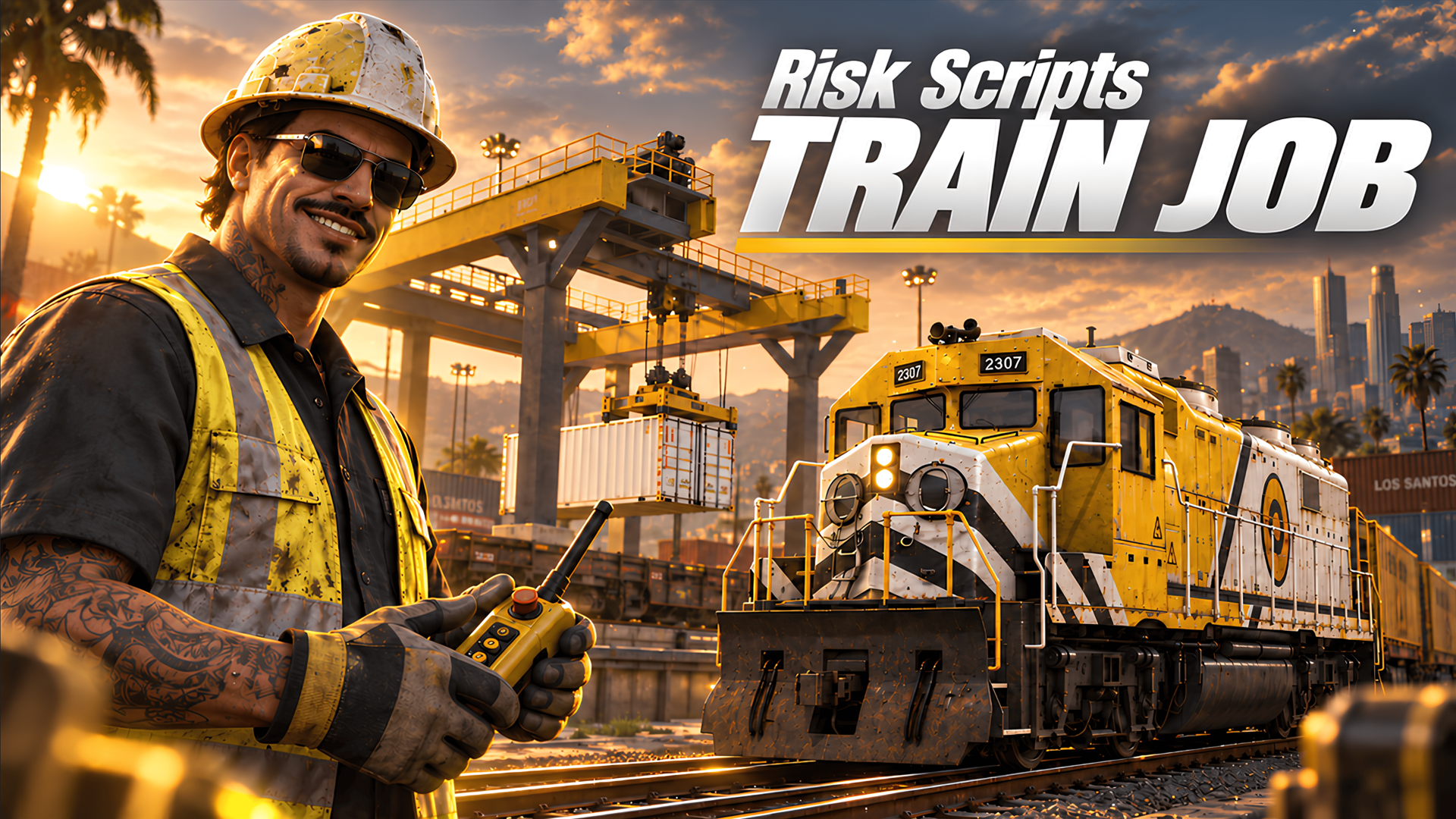
THE TRAIN JOB is a FiveM script by Risk Scripts, compatible with ESX, QBCore and QBox, available for 29.99 EUR as a one-time purchase. It idles at 0.00ms, ships with free lifetime updates and is supported 24/7 through the Risk Scripts Discord.
THE TRAIN JOB - features, frameworks and installation
# Train Job — Freight Train & Crane Job for FiveM
**Drive a real freight train, stop at the crane and move every container yourself.**
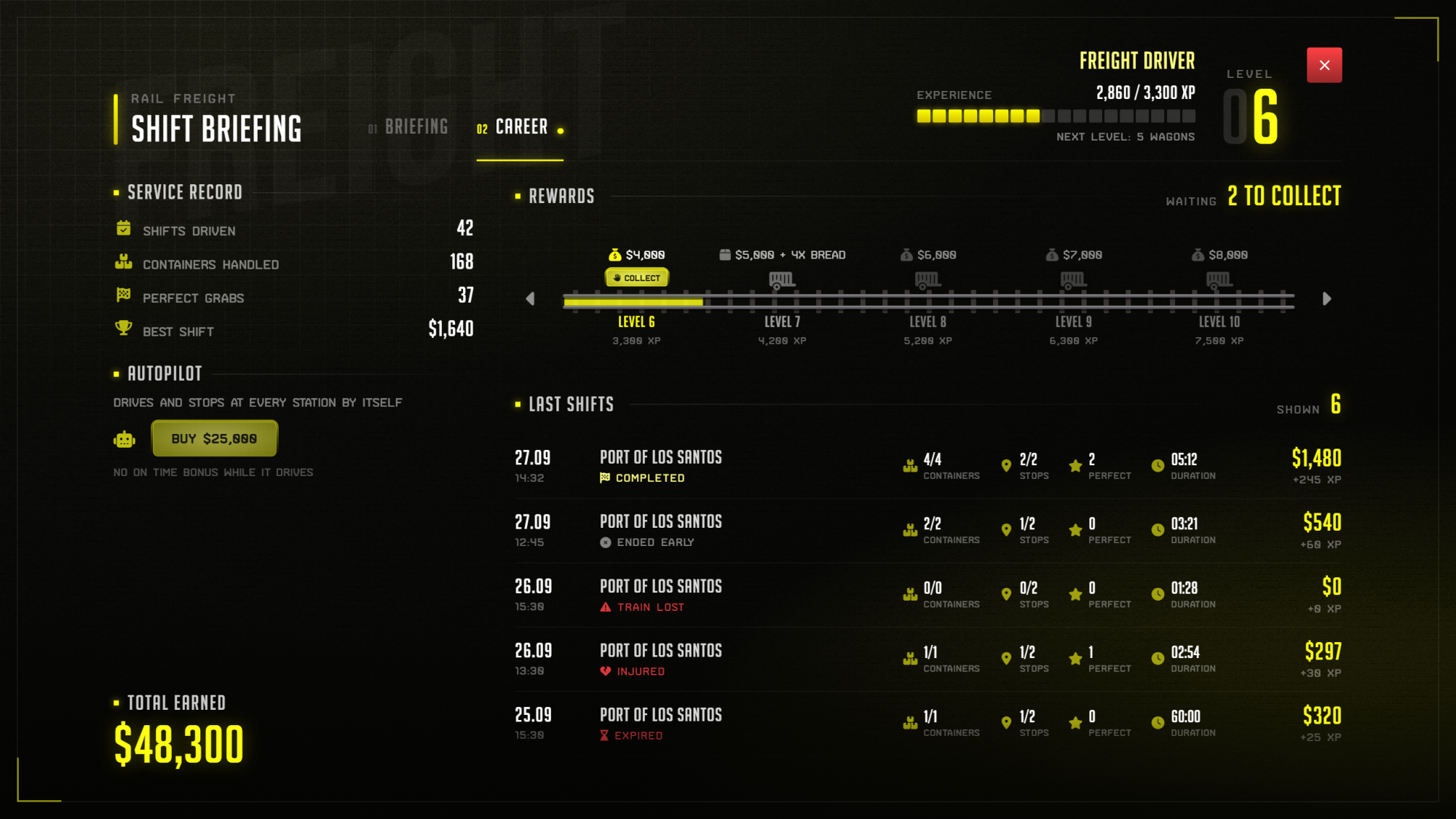
A complete FiveM train job for ESX, QBCore and QBox: random routes on the real GTA rails, crane stations with unload and load work, a timetable measured along the tracks, 20 levels with rewards and a buyable autopilot.
---
## Why this one
Most train jobs are a marker, a train that drives itself and a payout. This one is actual work.
- **Every container is moved by the player.** Shunt the wagon under the crane, lower the spreader, lift, set it down.
- **Random routes, never the same shift twice.** Every shift picks one of your routes — the train waits somewhere else on the map every time.
- **Build routes ingame in minutes.** A step by step builder places the spawn, the cranes and the end point. No coordinates to type.
- **A fair timetable.** Arrival times come from the real length of the rails, not the straight line. A detour around a mountain is timed like a detour.
---
## The Route Builder
Type `/trainroute`. A small panel guides you through six steps and only ever shows the current one.
| Step | What you do |
| --- | --- |
| **Train spawn** | Stand next to the rails, press `E`. A see-through preview train shows where it will wait — turn it with `X`, keep it with `ENTER` |
| **Stations** | Walk to each station and press `E`. A see-through crane follows your aim, two yellow bars show exactly where the rails have to be |
| **End point** | Optional — where the train is delivered at the end of the shift |
| **Done** | Rail length and timetable of the whole route, one click on **COPY ROUTE** |
Paste the block into the config and restart. Every distance is measured along the rails for you.
Mistakes are cheap: `Z` undoes the last step, closing the panel keeps your progress, and nothing you saved can be deleted by a stray key.
---
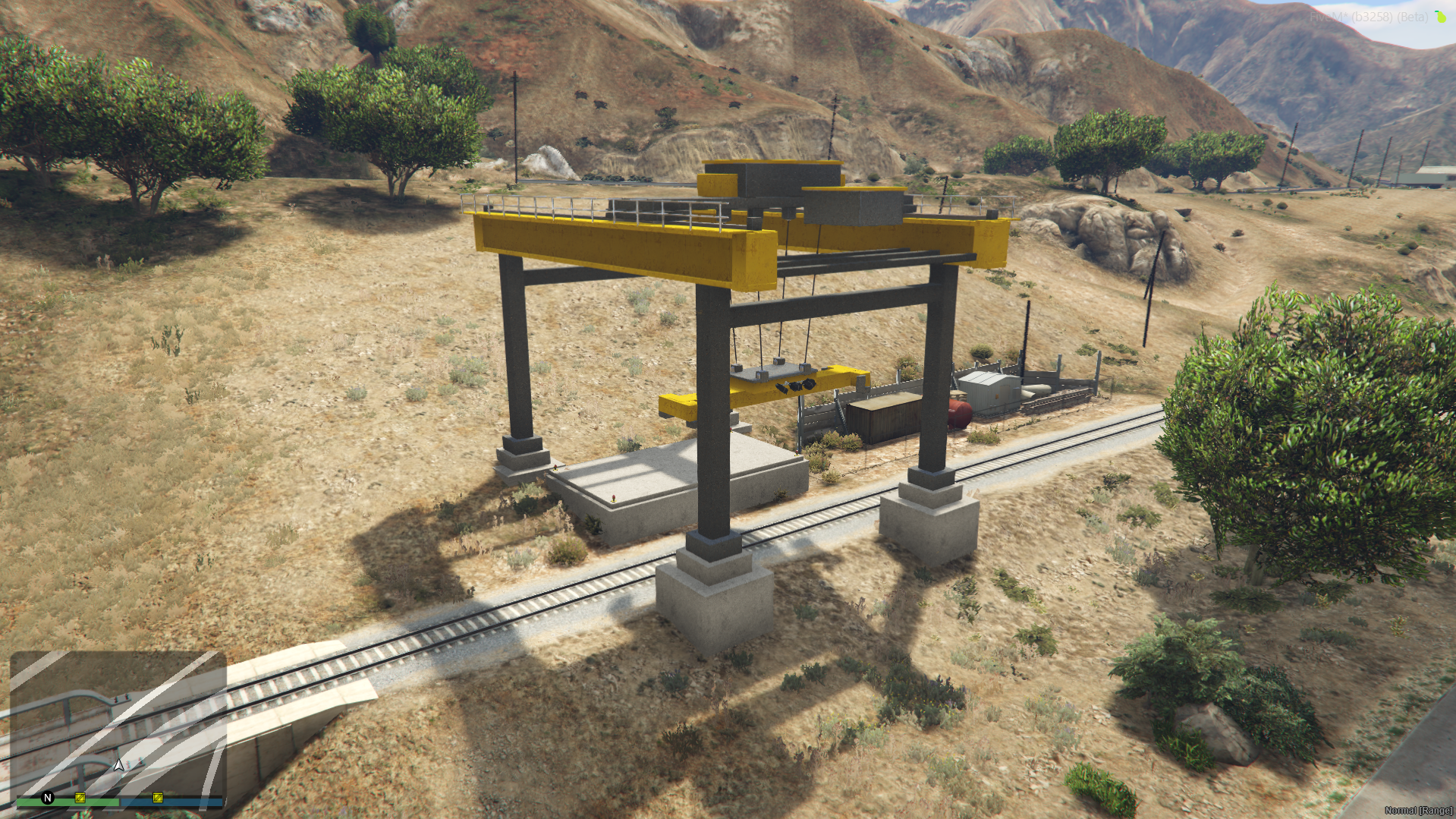
## Crane Stations
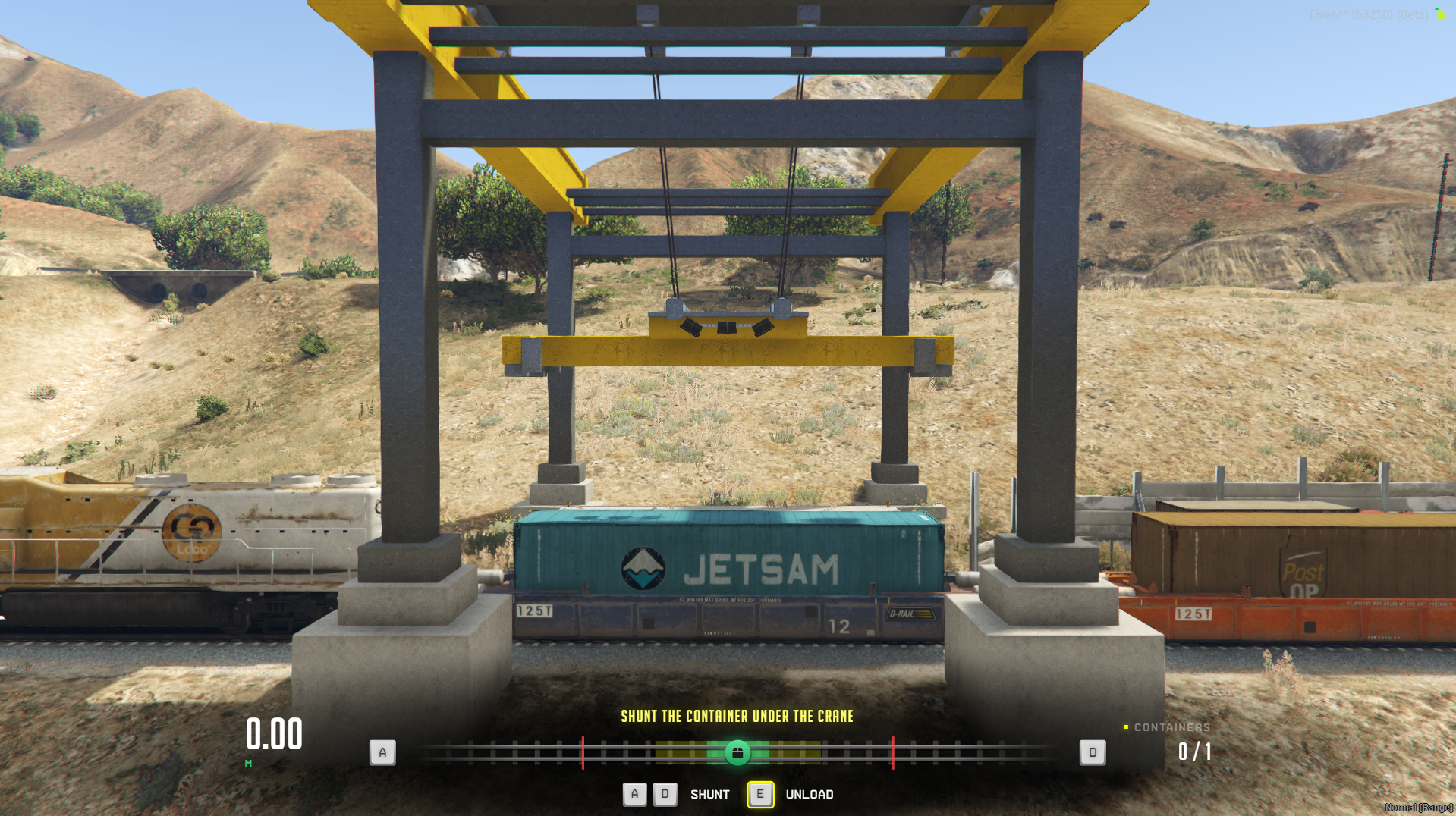
Stop next to the crane and the camera turns to the side. Now it's crane work:
- **Shunt** the train left and right until the container sits exactly under the crane
- **Grab** it — perfect alignment pays a bonus, good alignment a smaller one
- **Unload stations** lift the containers off the train onto the pad
- **Load stations** set waiting containers onto the empty wagons
The crane moves at real speeds with its own motor sounds. Pass a station without stopping and that cargo is lost.
---
## Random Routes
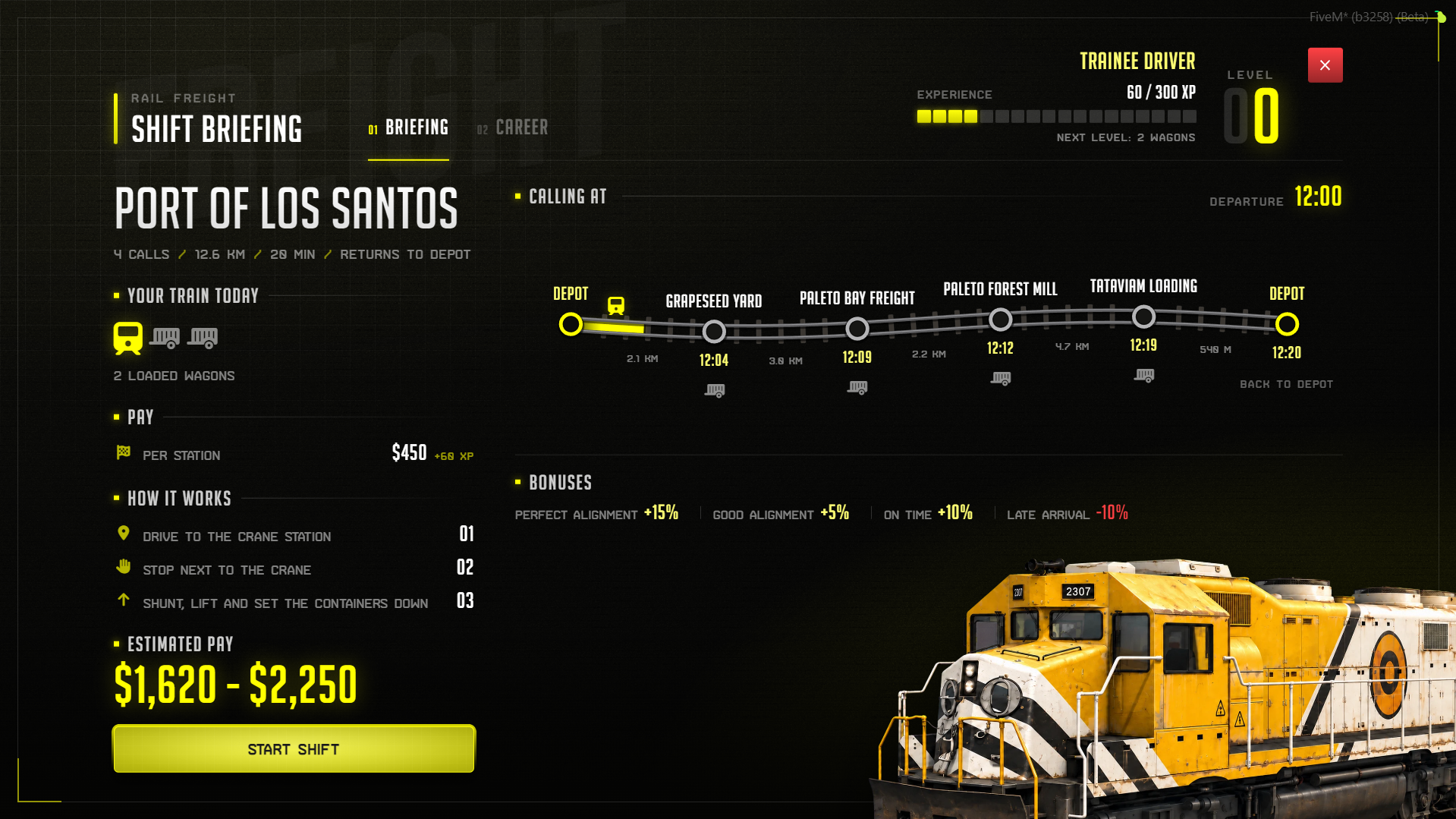
All shifts start at one depot NPC. The briefing shows today's route: stations, distance, timetable, your train and the pay range.
After **START SHIFT** the GPS leads you to the train. It only appears when you arrive — then the timetable starts.
- Up to **4 stations per route**, unload and load mixed
- An **optional end point** where the train is delivered — or the shift ends at the last station
- A route that another player is driving right now is skipped, so trains never spawn inside each other
---
## A Timetable That Makes Sense
The script measures every route along the actual GTA track. The briefing shows the arrival time for every station, the HUD counts it down.
| | Straight line | Real rails |
| --- | --- | --- |
| Tataviam → Depot | 540 m · 49 s | 13,366 m · 20:03 |
Arrive on time for a bonus, arrive late and lose a percentage. A grace period keeps it fair.
---
## Driving
Five gears, all on the arrow keys:
| Gear | What it does |
| --- | --- |
| **R** | Reverse, slow and careful |
| **N** | Neutral |
| **M** | Manual — hold the throttle yourself |
| **A** | Cruise control, set the speed and relax |
| **AP** | Autopilot — drives and stops at every crane on its own |
Every wagon makes the train heavier. A long train accelerates and brakes slower, and a braking assistant appears 400 m before every station.
Players on a shift do not see each other's trains, so nobody blocks the rails for anybody else.
---
## Levels, Rewards and the Autopilot
- **20 levels** laid out like a battle pass, each with money and an optional item reward
- **Longer trains** as you level up — from 2 loaded wagons up to 8
- **Rewards are collected by hand** in the briefing, and wait there when the inventory is full
- **Autopilot** unlocks at a level of your choice and is bought once
- **Driver log** with career stats and the last shifts
Station pay, bonuses, XP, level thresholds and rewards are all in the config.
---
## Built for Your Server
Everything that touches your other scripts sits in files you can edit.
```lua
-- Who may build routes: license, framework group or ace
Config.Setup = {
Enabled = true,
Groups = { "admin", "superadmin", "god" },
Licenses = { "license:xxxxxxxxxxxxxxxxxxxxxxxxxxxxxxxxxxxxxxxx" },
}
```
Pay goes through your framework, items through an inventory wrapper that detects the common inventories automatically, and notifications through your own notify resource if you want one.
---
## Compatibility
| | Supported |
| --- | --- |
| **Framework** | ESX · QBCore · QBox — auto-detected at runtime |
| **Inventory** | ox_inventory · codem-inventory · origen_inventory · qb-inventory · framework native |
| **Database** | oxmysql · mysql-async · ghmattimysql — tables created automatically |
| **Maps** | Works on the original GTA rails, routes built ingame |
| **Languages** | English · German |
---
## What You Get
- ✅ Freight train job with real driving, five gears and train weight
- ✅ Crane stations with manual shunting and container handling
- ✅ Unload and load stations mixed on every route
- ✅ Random route every shift, train waits somewhere on the map
- ✅ Step by step ingame route builder with preview train and crane
- ✅ Timetable measured along the real rails
- ✅ Perfect, good and on time bonuses, late penalty
- ✅ Braking assistant and full driving HUD
- ✅ 20 levels with money and item rewards
- ✅ Longer trains at higher levels, 2 to 8 wagons
- ✅ Buyable autopilot with its own gear
- ✅ Career page and driver log
- ✅ Hidden drivers — no blocked rails between players
- ✅ Optional end point per route
- ✅ Custom notify and help prompt support
- ✅ One UI color setting for the whole interface
- ✅ Exploit-safe, server-authoritative pay, 0.00ms idle
- ✅ Responsive from 1080p to 4K ultrawide
---
## Installation
1. Drop `risk-trainjob` into your resources folder
2. Add `ensure risk-trainjob` to your `server.cfg`
3. Put your license into `Config.Setup` in `config/routes.lua` and restart
4. Type `/trainroute` ingame and build your first route
An example route ships ready to drive. Database tables are created automatically on the first start. No SQL import needed.
**Requirements:** `oxmysql`, `mysql-async` or `ghmattimysql` · ESX, QBCore or QBox
---
## FAQ
**Do I need to type coordinates for my routes?**
No. The route builder places the train spawn, the cranes and the end point ingame, measures the rails and gives you a finished block to paste into the config.
**Does the train drive by itself?**
Only if the player buys the autopilot. Everybody else drives with throttle, brake and five gears — and every container is moved with the crane by hand.
**Can several players work at the same time?**
Yes. Every shift picks a free route, and players on a shift do not see each other's trains. Build more routes for more drivers at once.
**How long does a shift take?**
That depends on your routes. The example route has four stations and about 45 minutes of timetable. Short routes make short shifts.
**Can I change the pay and the levels?**
Yes. Station pay, every bonus, XP per station, level thresholds, money and item rewards are all in the config.
**Does it work with my inventory?**
Yes. ox_inventory, codem-inventory, origen_inventory, qb-inventory and the framework native inventory are detected automatically.
**Can players exploit the pay?**
No. Pay, XP, rewards and the autopilot purchase are all calculated on the server. It checks the train, the station and every container before anything is paid.
**Can I translate it?**
Yes. English and German ship complete, and every text lives in a locale file.
---
| Resource | THE TRAIN JOB |
|---|---|
| Frameworks | ESX, QBCore and QBox |
| Price | 29.99 EUR, one-time |
| Licensing | Open source and Escrow editions available |
| Idle performance | 0.00ms |
| Updates | Free lifetime updates |
| Support | 24/7 via the Risk Scripts Discord |
| Documentation | Risk Scripts GitBook |
- Does THE TRAIN JOB work with ESX, QBCore and QBox?
- THE TRAIN JOB is compatible with ESX, QBCore and QBox. The framework is detected at runtime, so the same download works on every supported server without a separate build.
- Is THE TRAIN JOB open source or Escrow?
- Risk Scripts offers THE TRAIN JOB as an open-source edition and as an Escrow edition. In both cases the config files, locale files and the HTML/CSS stay editable.
- How much does THE TRAIN JOB cost?
- THE TRAIN JOB costs 29.99 EUR as a one-time purchase. It is also included in the Risk Scripts VIP package, a one-time payment that covers the Escrow edition of every current and future release.
- Does THE TRAIN JOB affect server performance?
- THE TRAIN JOB idles at 0.00ms and is profiled under real server load, so it runs alongside a full resource stack without measurable frame cost.
- What support and updates are included with THE TRAIN JOB?
- Every Risk Scripts purchase includes free lifetime updates and 24/7 support through the Risk Scripts Discord, answered directly by the developers who wrote the code.
